Trex Deck Designer: How To Plan And Price Your Deck

Planning a new deck is exciting, until you realize how many decisions go into materials, layout, railing style, and color. That's where the Trex Deck Designer comes in. It's a free online tool that lets you build a 3D model of your deck using Trex composite products, so you can visualize the finished result and estimate costs before a single board gets installed.
But here's the thing most homeowners discover quickly: the tool gives you a starting point, not a final plan. Dimensions, structural requirements, local building codes, and real-world site conditions all affect what actually gets built. At Legacy Exteriors LLC, we design and build custom decks across Kirkland and the surrounding areas, and we regularly work with clients who come to us with a Trex Deck Designer mockup in hand. It's a great conversation starter for your project, and we can take it from screen to reality.
This guide walks you through how to use the Trex Deck Designer step by step, what it can (and can't) tell you about pricing, and how to turn your digital design into a deck that's built to last.
What Trex Deck Designer can and can't do
Before you spend time building a 3D model, it helps to know exactly what the Trex Deck Designer is designed for and where its limitations kick in. The tool is free to use and runs entirely in your browser with no software download required. You pick a deck shape, enter your dimensions, choose your board color and railing style, and the tool renders a 3D preview in real time. Think of it as a planning aid that helps you build a shared vision, not a structural blueprint ready for permit submission.
What the tool does well
The Trex Deck Designer gives you a clear visual for how different board colors and railing styles combine on your specific deck shape. You can switch between top-down and 3D views, which makes it easier to share your concept with a contractor or with anyone else involved in the decision. The tool also generates a rough material list and cost estimate based on the dimensions you enter, giving you a useful starting number for early budget conversations.
Use the color selector to compare at least three board options side by side before you commit - lighter finishes tend to show foot traffic wear more visibly than darker tones over time.
Here is a breakdown of what the tool handles well:
Feature | What it gives you |
|---|---|
Board color and finish | Full Trex product line with visual previews |
Deck shape options | L-shapes, wraparound layouts, multi-level configurations |
Railing previews | Baluster styles, post caps, and rail colors |
Material estimates | Rough quantity counts based on your entered dimensions |
Where the tool falls short
Your actual site conditions don't appear anywhere inside the Trex Deck Designer. The tool won't flag slope grade, soil type, or existing drainage issues that directly affect how your deck gets framed and anchored. Cost estimates inside the tool also exclude labor, permits, ledger board attachments, and any site prep costs, which means the figure you see on screen is almost always well below what your finished project will actually cost.
Structural decisions, including beam sizing, joist spacing, and post footing depth, require a licensed professional who can evaluate your specific property. Local building codes in Kirkland and across King County have clear requirements for deck height, load-bearing capacity, and railing specifications that the tool has no way to verify. What you put together on screen is a visual concept, and it takes a qualified contractor to translate that concept into a build that meets code and performs reliably for decades.
Step 1. Measure, sketch, and check code basics
Before you open the Trex Deck Designer, spend time on the ground. Entering accurate dimensions from the start saves you from reworking your entire layout halfway through the planning process. Two tools are all you need right now: a tape measure and a notepad.
Measure your space accurately
Walk your yard and record every relevant measurement. Note the width and depth of the area where your deck will sit, mark any obstacles like downspouts, utility access panels, or window wells, and measure the distance from your door threshold down to grade level. Sketch a rough top-down outline on paper with all your numbers labeled before you touch the design tool.
Measure the slope of your yard at three points moving away from the house - uneven grade directly affects footing depth and framing height, which changes your material quantities.
Complete this checklist before you start designing:
Width of the door or sliding glass door leading to the deck
Distance from the house wall to the property line
Ground slope from the house outward (measure at the left edge, center, and right edge)
Location of buried utilities (call 811 before you plan any footings)
Height from door threshold to ground at the deck's furthest corner
Check local code requirements
Kirkland and King County follow Washington State residential building codes, and those rules directly shape your design. Review the minimum requirements for your deck before you finalize any dimensions inside the tool, because a layout that ignores code will need to be rebuilt from scratch.
Code element | What to confirm |
|---|---|
Footing depth | Minimum depth below frost line for your zone |
Railing height | Required height for decks above 30 inches off grade |
Load capacity | Minimum pounds per square foot for residential decks |
Permit threshold | Square footage and height that triggers a permit requirement |
Contact King County's Permitting Division directly to pull the current requirements for your specific project before you commit to any dimensions or layout in your design.
Step 2. Create your deck plan in the tool
With your measurements written down and your code requirements confirmed, open the Trex Deck Designer at trex.com and start a new project. The tool walks you through each decision in order, so follow the sequence it gives you rather than jumping ahead. Skipping steps early leads to rework later when proportions or product selections don't match.
Set your deck shape and dimensions
Start by picking a deck shape that matches your sketch. The tool offers standard rectangles, L-shapes, and wraparound configurations. Select the shape that most closely reflects your actual layout, then enter your measured width and depth in the dimension fields. Use the exact numbers from your notepad rather than rounding up, because the material estimate the tool generates is based directly on what you enter.
If your deck has an irregular edge or a cutout around a post or tree, pick the shape that covers the full footprint and note the modification for your contractor to account for during framing.
After you lock in your dimensions, the tool renders a top-down floor plan and a 3D preview simultaneously. Zoom into the 3D view to check that the overall scale looks right relative to your house before you move on.
Choose your boards and railings
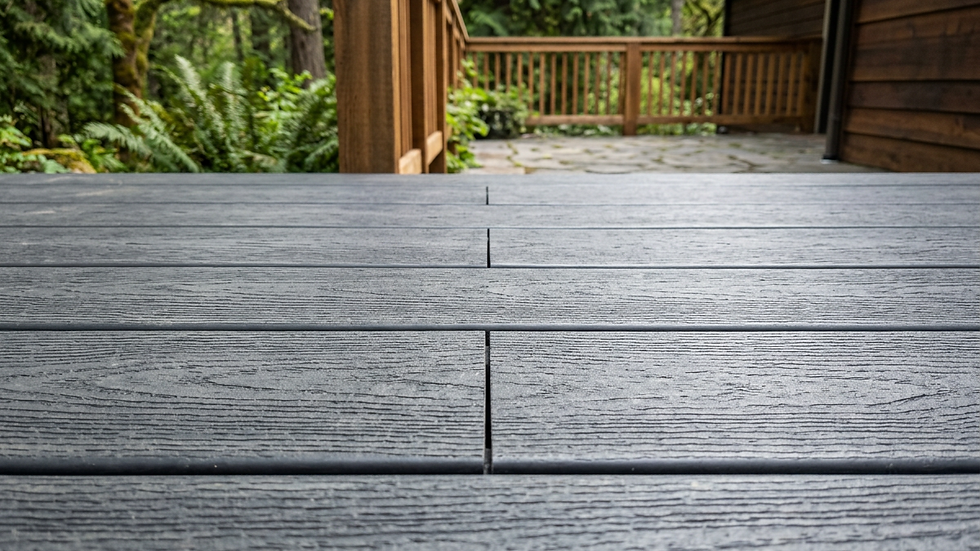
Select your board collection and color from the Trex product line shown in the sidebar. The tool previews each finish across your full deck surface in real time, so switch between at least two or three options before you decide. Pay attention to how the color looks in both the shaded and sunlit areas of the 3D view.
Once your boards are set, move to the railing selector and choose your baluster style, post cap, and rail color. Match the railing finish to your board tone or contrast it intentionally. Save your design before moving to the cost step.
Step 3. Estimate cost and finalize your plan
After your boards and railings are selected, the Trex Deck Designer generates a material estimate based on your dimensions and product choices. This number gives you a useful baseline, but you need to understand exactly what it includes before you bring it into a budget conversation.
Read the estimate correctly
The cost figure you see covers Trex materials only, specifically the decking boards and railing components you selected. It does not include framing lumber, concrete for footings, ledger board hardware, permit fees, or labor. Treat the tool's output as the material line item only, and expect total installed costs to run significantly higher once labor and structural work are added.
A practical rule of thumb: material costs typically represent 40 to 50 percent of a finished deck project's total price, so use the tool's figure to sanity-check your material budget, not your full project cost.
Build a complete cost checklist
Use this checklist to capture every cost category before you finalize your plan:
Cost category | Included in tool | Notes |
|---|---|---|
Trex decking boards | Yes | Based on your entered dimensions |
Railing components | Yes | Reflects your selected style |
Framing and joists | No | Varies by span and load requirements |
Concrete footings | No | Depth and count set by code |
Permit fees | No | Confirm with your local permitting office |
Labor | No | Get at least two contractor quotes |
Once you work through the full checklist, save your design file directly from the tool and bring it to your contractor consultation. Your saved plan gives the contractor your exact product selections and dimensions, which speeds up the quoting process and keeps everyone working from the same starting point.
Ready to build
The Trex Deck Designer gives you a strong starting point, but a finished deck takes more than a digital mockup. Your saved design tells a contractor exactly which products and dimensions you're working with, which cuts down the back-and-forth during the quoting process and keeps your project moving forward efficiently.
Once your plan is ready, the next step is getting a quote from a contractor who knows how to take it from screen to structure. At Legacy Exteriors LLC, we build custom decks across Kirkland and the surrounding areas using quality materials and straightforward pricing with no surprises at the end. Bring your Trex design to us and we'll review your layout, confirm your material selections, and give you a locked-in price quote for the full project. Request your free deck consultation and let's get your build scheduled.